Shopify image sizes: the right size for product images, and the limits that matter
Shopify accepts product images up to 5000 × 5000 pixels, but the size that looks best is smaller, and consistency matters more than resolution. The recommended size, the limits, which file format to use, how to keep aspect ratios consistent across a catalog, and the specs for video and 3D.

Mathias JensenCEO & founder
In short: for square product images, Shopify recommends 2048 × 2048 px. Product and collection images can be up to 5000 × 5000 px or 25 megapixels, under 20 MB. PNG is usually the best file type, followed by JPEG, and Shopify shows each visitor the best format their browser supports. Use one aspect ratio across the catalog, keep the product centered with even margins, and make sure every image is at least 500 × 500 px, which Google Merchant Center requires from 31 January 2027.
Shopify image sizes at a glance
| Image | Recommended | Limit |
|---|---|---|
| Square product images | 2048 × 2048 px | Up to 5000 × 5000 px or 25 megapixels, under 20 MB |
| Collection images | Match your theme’s collection layout | Up to 5000 × 5000 px or 25 megapixels, under 20 MB |
| Banners and slideshows | Set by your theme | Check the theme’s documentation |
| Google Shopping | At least 500 × 500 px | Required from 31 January 2027 |
| Media per product | One image per variant | Up to 250 media items per product |
Checked against the Shopify Help Center on 20 November 2026.
Why 2048 × 2048 px
Product images are seen at very different sizes: a small card in a collection grid, a large image on the product page, and a close-up when a shopper zooms. A 2048 px square is large enough to stay sharp on high-resolution screens and in zoom, without the file size of a full camera image. Your theme displays each image at the size its layout needs, so the upload size is about quality, not about what loads on every page.
One aspect ratio for the whole catalog
Consistency matters more than resolution. A collection page where some products are square, some tall and some wide looks broken even when every image is sharp.
- Pick one ratio, usually square, or portrait for apparel, and crop every product image to it.
- Keep the product centered with the same margin around it, so products line up in the grid.
- Use the same background for main images, such as white or a light neutral.
- Set the ratio in your theme if it offers one for product cards, such as square or portrait, so cards don’t crop unpredictably.
Which file format to use
| Format | When to use it |
|---|---|
| PNG | Shopify’s first choice for most product images, and the format for transparent backgrounds |
| JPEG | Shopify’s second choice, good for photos |
| WebP, HEIC, GIF, TIFF, BMP, SVG | Accepted, including animated GIF and WebP |
You don’t need to convert images to modern formats yourself: Shopify checks which formats each visitor’s browser supports and shows the best one available. Keep files under the 20 MB limit by exporting at the size you need rather than uploading straight from the camera.
Sizes for Google Shopping and other channels
Your product images also feed your sales channels. Google Merchant Center will require at least 500 × 500 px for product images from 31 January 2027, and rejects images with promotional text, watermarks or borders. AI-generated images need metadata that marks them as AI-generated. See the Google Shopping feed for Shopify and AI product photography.
Video and 3D models
| Media | Specification |
|---|---|
| Video | Up to 10 minutes, 1 GB and 4K (4096 × 2160 px), as .mp4, .mov or .webm, or a YouTube or Vimeo link |
| 3D models | Up to 500 MB, and files over 15 MB are optimized automatically |
Your theme needs to support video and 3D models to show them on product pages, while every theme supports images.
Fixing image sizes across a catalog
Most image problems come from suppliers: one sends 4000 px photos on white, another sends 600 px images in a landscape ratio, the third sends the same photo twice. Checking that by hand, product by product, doesn’t scale.
Covada’s media bank keeps every image in one place, shows where each file is used, and flags low resolution and duplicates. AI image tools crop to your standard, remove backgrounds and upscale, on one image or hundreds, and when you replace a file once, every product and store that uses it follows. Each image also gets ALT text in every language.
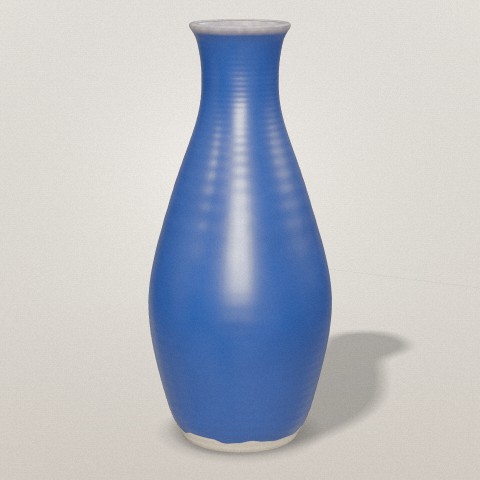
A media file in Covada: halde-tall-cobalt-front.jpg, JPG, 1.2 MB, used in 6 products
Common mistakes
- Mixed aspect ratios in the same collection.
- Small supplier images that blur when shoppers zoom, or fall below Google’s minimum.
- Text and badges baked into the main image, which Google rejects.
- Camera files uploaded as they are, close to or over the 20 MB limit.
- No ALT text, so screen readers and search engines can’t tell what the image shows.
Frequently asked questions
What size should Shopify product images be?
For square product images, Shopify recommends 2048 × 2048 px, which stays sharp when shoppers zoom. Use the same aspect ratio for every product so collection pages line up.
What is the maximum image size on Shopify?
Product and collection images can be up to 5000 × 5000 px, or 25 megapixels, and the file must be smaller than 20 MB.
What image format is best for Shopify?
Shopify recommends PNG for most product images, followed by JPEG. WebP, HEIC, GIF, TIFF, BMP and SVG are also accepted, and Shopify shows each visitor the best format their browser supports.
What size should a Shopify banner image be?
It depends on your theme, since each theme crops banners and slideshows its own way. Check your theme’s documentation, and use an image at least as wide as the largest screen the banner fills.
Do Shopify product images have to be square?
No, but one aspect ratio across the catalog looks cleaner. Square is the most common choice, and many themes let you set the image ratio for product cards, such as square or portrait.