What AI product data needs before you trust it
Generating a product description takes seconds. Knowing whether its facts hold takes a system. Five things to put in place before AI writes into your catalog.

Mathias JensenCEO & founder
AI-written product copy reads well whether or not its facts are right, and that’s the problem. A vase gets described as watertight when it isn’t. A mug is dishwasher safe in the Swedish description and hand wash only in the Danish one. A weight arrives in grams where the store expects kilos. Each mistake turns into a return, a support ticket or a customs question.
Plausible text is cheap now. The work is knowing which values to trust and catching the rest before they go live. These are the five things we’d put in place first, in the order we’d set them up. They are also the difference between an AI writing tool and a system for product data, as in Covada vs Hypotenuse AI.
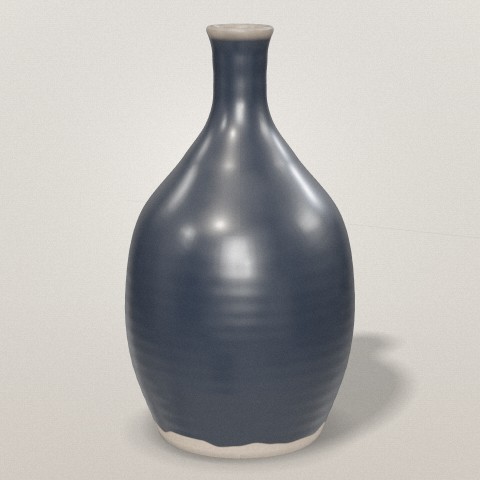
AI Reasoning for the Material metafield: confidence score 94 out of 100, with the reasoning and the value Stoneware.
1. Inputs it can point to
A generated value is only as good as what it’s based on. Three sources cover most product data:
- Your own catalog. Supplier titles, codes and existing copy. In Lerko Studio’s catalog, the supplier code STW means stoneware.
- The product images. Color, shape, glaze and the visible opening of a vase.
- The web, by barcode. Manufacturer pages and spec sheets found by GTIN or EAN. This helps most with branded goods. For your own designs, your catalog and images do the work.
When none of them supports a value, the right output is an empty field. A blank spec can be filled in later. A wrong one gets published, translated into every language you sell in and indexed.
2. A structure for each product type
A vase and a mug don’t need the same facts. Decide per product type which attributes matter, and store them as typed fields instead of free text:
- Vases: height, opening and whether they’re watertight.
- Mugs: capacity, and whether they’re dishwasher and microwave safe.
- Planters: drainage hole, saucer, and indoor or outdoor use.
Types do quiet work. A true-or-false field can’t say “mostly”, a measurement needs a unit, and a fixed list of glaze names keeps “Ink”, “Ink blue” and “Navy” from becoming three filters for one glaze. In Covada these are Shopify metafields, organized in product groups that match by product type, collection or category.
3. A confidence score and a reason
Every generated value should come with two things a person can read: how sure the AI is, and why. “94/100, because the supplier code STW means stoneware”, as in the figure at the top, takes five seconds to check. A paragraph of polished copy with no reasoning takes far longer.
Read the reasoning, not just the score. A high score built on a weak reason, such as a guess from the product name alone, deserves a second look.
Then set a threshold per field. A suggested room at 70 out of 100 is fine. A watertight claim should clear 90. Values below the threshold are held back instead of published, and the editor says so next to the field.
Confidence thresholds per metafield, with a Watertight suggestion at 62 held back under its threshold of 90.
Settings, Products, Metafields: a confidence threshold for each metafield. Watertight is set to 90. Suggestions below the threshold wait for review instead of going live.
Pending suggestion · Watertight
0 of 1 suggestions pass. 1 wait for review.
4. A review path that matches the risk
Not every value needs a person, and not every product group is ready to run on its own. Use approval where the risk is new and automation where it’s proven:
- Approve first for a new product type, a new market or a new supplier.
- Fill only empty fields when your existing data is better than a guess.
- Publish automatically for product groups whose output you’ve reviewed and trust.
In Covada, each automation either publishes on its own or leaves its output waiting for approval. Set to new products only, it leaves your existing catalog alone when you switch it on.
Translations need the same care. A second AI pass proofreads every new translation for wrong-language fragments, mistranslations, missing facts and invented claims. It fixes the translation or rejects it, and the terms you’ve locked are checked again.
5. A record of what changed
Mistakes will still happen. What matters is how quickly you find and undo them. Every generation, publication and translation should be logged, and every field should keep its history. If a rule produced a wrong claim, you want to find every product it touched and restore the earlier text, not search your storefront by hand.
In Covada, the activity log records each generation, publication, translation and sync. Descriptions, meta fields, metafields and media keep a content history you can restore from.
Content History for a product description: a draft from today and two published versions, the second one applied.
Earn trust one product group at a time
The safest rollout is gradual. Start with one product group, review a sample, adjust the instructions and thresholds, and only then let that group run on its own. Then move on to the next. It’s slower in the first week and much faster after that, because review time goes where the risk is. It’s also how we onboard customers: we calibrate the output on a sample of your products with you before anything runs at scale.
“Our entire range, and it’s a large one, is now enriched in Covada, and new products are handled as they come in.”
AI can handle the volume. Your rules decide where it’s allowed to.